Why your Claude Code token count disappeared (and how to get it back)
7 min read
On this page
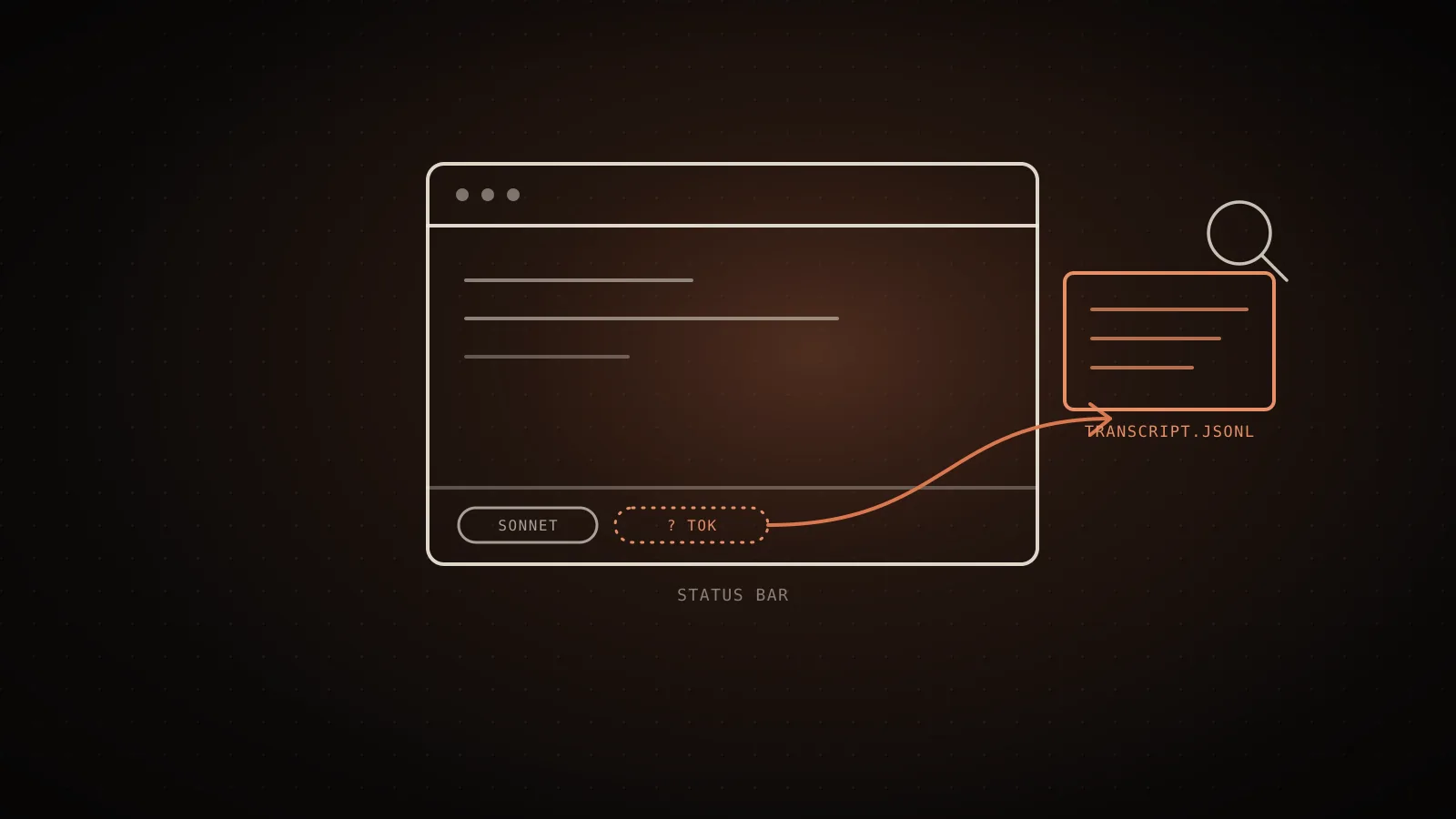
The token counter in your status bar didn't get deleted - it's either turned off by something you haven't touched, buried under a terminal notification, or a genuine Claude Code regression that Anthropic already has a closed ticket on. None of the three means your usage stopped being tracked. It means the one place you're used to reading it stopped showing it, and the real number is one command away: /usage, /context, or reading straight from the session transcript file that never stopped writing to disk.
completed, fixed in v1.0.111) and #30777 (closed not_planned, stale-bot after 30 days, never confirmed fixed). Rule out the setup causes first: workspace trust accepted, terminal wide enough, verbose mode on. Still gone? Run /usage for a session total or /context for a breakdown right now. For a number that can't disappear again, a custom statusline reading Claude Code's own context_window fields survives all three causes.What actually made the counter vanish
Three separate things produce the same symptom, and they need different fixes:
- A setting, not a bug. The status line only renders once you've accepted the workspace trust dialog for the current folder. Until then it stays blank - permanently, not just on first launch.
- Something else on the same row. MCP server errors, auto-update notices, and the context-low warning all share space with the status area. On a narrow terminal, one of them can crowd the counter out or truncate it.
- A logged regression. Twice on record, an update has dropped the right-side status badges - token count and model/version - with no setting to toggle them back. That's the part with actual GitHub history behind it, covered next.
Both GitHub reports about this are closed - which doesn't mean fixed
Every page-one result for this query links one or both of these issues without saying what happened to them. Pulled directly from the GitHub API's state_reason field, not the issue title:
Token and Time Counter Missing in Normal Mode 1.0.83
v1.0.83 - opened 2025-08-17 - closed 2025-09-12
Anthropic's own classification: fixed. Reporters confirmed the counter came back in v1.0.111.
Token count and model/version number missing from status bar
v2.1.68 - opened 2026-03-04 - closed 2026-04-01
Closed by the stale-issue bot after 30 days idle - not a confirmed fix, and a different build than #5959.
#5959 is the only one of the two Anthropic actually marked completed. Reporters in that thread confirmed the counter reappeared in v1.0.111, with one noting it only showed up on slower, streaming responses rather than instantly - a detail worth remembering if yours seems to flicker rather than stay gone. #30777 describes the same symptom about seven months later, on a much newer build (2.1.68), and closed only because the stale-issue bot fired after 30 days with no maintainer reply - not because anyone confirmed what caused it or shipped a fix. The reporter had already ruled out terminal width, a custom statusLine config, three different terminal emulators, every model selection, and a corrupted install before filing, which is most of the setup-side list above already eliminated for you.
If you're running a build after April 2026 and the badges are gone with none of the setup causes present, you're looking at a recurrence of the same class of bug #30777 describes, still open in every sense except GitHub's bookkeeping.
Three built-in ways to see your real number right now
None of these need the status bar to be working:
| Mechanism | Shows | Stays visible? | Best for |
| --- | --- | --- | --- |
| /usage | Session cost and token totals for the current conversation; resets on /clear | No, re-run it each time | A quick one-off check |
| /context | A colored grid of what's filling your context window, with optimization suggestions for context-heavy tools and memory bloat | No, re-run it each time | Finding what's eating space, not just how much |
| Custom statusLine | Live context_window fields, updated every turn | Yes, until you remove it | A counter that survives all three causes above |
The third option is the only one that's actually persistent. Claude Code's status line accepts a shell script that reads session data from stdin as JSON, and that JSON carries context_window.total_input_tokens, context_window.total_output_tokens, context_window.used_percentage, context_window.remaining_percentage, and context_window.context_window_size on every single turn - independent of whether the built-in badges are rendering. Configuring one is a statusLine entry in your settings file pointing at a script; Anthropic's own statusline documentation has the full field list and working examples, including a ready-made context-usage progress bar.
What this session's own transcript file shows, pulled straight from disk
Every one of the three fixes above still depends on Claude Code itself being able to answer you. There's a fourth number that doesn't: the JSONL transcript file Claude Code writes to ~/.claude/projects/<project>/<session-id>.jsonl on every single turn, status bar working or not. It's the same file /resume reads to rebuild your session list, and it carries the exact token usage the API returned - not an estimate.
I ran this against the transcript for the session that's writing this article, on this machine, right now:
$ jq -r 'select(.type=="assistant") | .message.usage | select(.!=null) |
  "in=\(.input_tokens) cache_read=\(.cache_read_input_tokens) cache_creation=\(.cache_creation_input_tokens) out=\(.output_tokens)"' \
  ~/.claude/projects/-home-runner-work-usagecut-usagecut/48a36b5f-1613-490e-88a6-b954d01e4f1a.jsonl | tail -1
in=2 cache_read=157965 cache_creation=3388 out=630
157,965
cache_read_input_tokens
3,388
cache_creation_input_tokens
630
output_tokens
161,355
total input-side
Measured from ~/.claude/projects/<project>/<session>.jsonl on this machine, the moment the jq command below ran. It moves every turn - that is the whole point.
That's a real, reproducible command against a real file - not a simulated status line. To find your own latest transcript instead of typing out the path, ls -t ~/.claude/projects/*/*.jsonl | head -1 returns it, most recent first, on any Claude Code install.
When the counter's absence is expected, not broken
Work through these before concluding you've hit the regression:
Workspace trust not accepted
The status line stays fully blank until you accept the trust dialog for this folder. Check with claude --debug for "workspace trust not accepted."
Notification or narrow terminal
MCP errors, auto-update notices, and the context-low warning share the status row and can crowd out or truncate it.
Verbose mode is off
In older builds this alone hid the counter. Toggle verbose in /config and see if it reappears before assuming a bug.
None of the above
This matches the logged regression pattern, not a local setting. Pull your real number a different way instead of waiting on a fix.
The workspace-trust case is easy to miss because it looks identical to the bug from the outside - a blank status row, nothing in the UI explaining why. claude --debug is the tell: it logs Status line command skipped: workspace trust not accepted when that's the actual cause, which neither open issue mentions because it isn't the same failure.
Honest limits
The transcript-file method only works from the machine and account that ran the session - it reads a local file, not a hosted dashboard, so it's no help if you're on Claude Code's web or VS Code surfaces rather than the CLI, or if your terminal environment doesn't give you filesystem access to ~/.claude/projects/. The dollar figures /usage shows are computed client-side at standard list rates and can differ from your actual bill, same as the transcript's raw token counts if you're on a discounted or contracted rate. And none of the four methods here fix the underlying regression - they get you a real number while the status badge stays broken, which for a workflow that depends on that number today is usually the part that actually matters.
FAQ
- Is the Claude Code token counter disappearing a known bug? Twice, yes, on the record. #5959 (v1.0.83, 2025) was closed
completedafter Anthropic fixed it in v1.0.111. #30777 (v2.1.68, 2026) describes the same symptom and was closednot_plannedby the stale-issue bot, with no confirmed fix. - Were the GitHub issues about this actually fixed? Only one of the two.
state_reason: completedon #5959 is Anthropic's own classification of "fixed."state_reason: not_plannedon #30777 means closed without resolution, most often a stale-bot timeout - not a maintainer confirming the cause or shipping a patch. - How do I see my real token count if the status bar counter is gone? Run
/usagefor a session total,/contextfor a breakdown of what's using space, or configure a custom statusline that reads Claude Code'scontext_windowfields directly. All three work regardless of whether the built-in badge is rendering. - What's the difference between
/usageand/context?/usageshows cost and token totals for the whole session, and resets when you/clear./contextrenders a colored grid of what's currently filling the context window with optimization suggestions for context-heavy tools and memory bloat, which is what you want when the question is "what's using space," not just "how much." - Does turning on verbose mode bring the counter back? In some older builds, yes - a token counter used to be tied to verbose output specifically, per
#5959. Try/configand toggling verbose mode before assuming you've hit the newer regression, since it costs nothing to rule out.
The status bar is a display, not the source of truth - Claude Code's own accounting for what you've spent lives in /usage, in /context, and in the transcript file itself, all three unaffected by whichever one of these three causes hit you. How many tokens Claude Code is actually using covers what those built-in commands do and don't show you beyond the raw total, the prompt-cache bug that inflates the number itself is worth ruling out separately if the count you do see looks too high rather than missing, and reducing context window usage is where to go once you have a real number and don't like it. If you'd rather not read a transcript file by hand, the cost calculator turns a usage pattern into a real dollar figure without needing the status bar to cooperate at all.
See your own numbers
These are aggregates from real sessions. Your setup is different - run the free scan and get the breakdown for your own Claude Code history. It runs locally; nothing about your code or prompts leaves your machine.
npx usagecutRun a free scan → Made by Neo
UsageCut by ClockedCode - not affiliated with Anthropic. The figures on this page are measured on real Claude Code sessions and labeled measured or estimated where it matters.